NewPlate calculator, gym timer and percent calculator

Free on iPhone and iPad

Program it. Run it. Log it. Beat your best.

WODsoup is a workout app for coaches and the people they train. Build the session, run it at the gym, and see every lift add up.

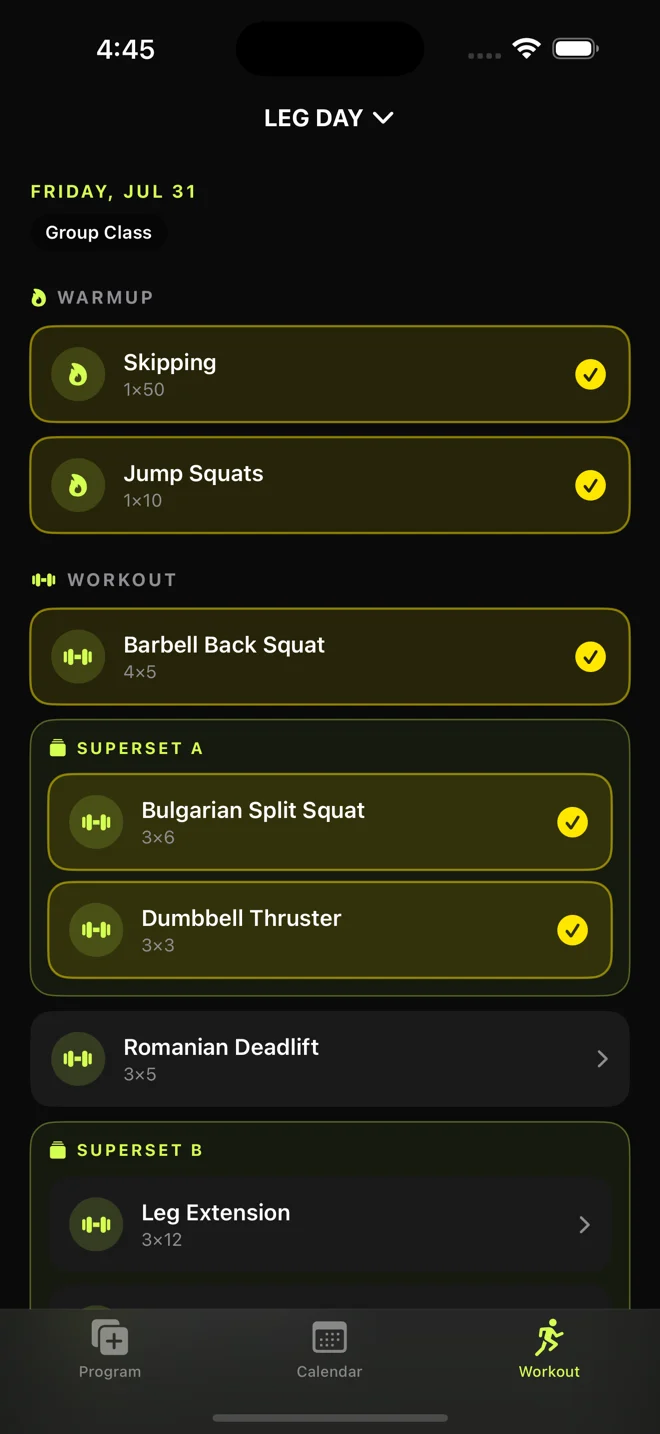
WODsoup's workout screen for Leg Day: the warmup, barbell back squat and first superset are ticked off in yellow, with more still to go.

New: lifting tools

Know what goes on the bar.

Three buttons at the top of the Program and Workout tabs, and in a PRs session. On iPhone and iPad.

Free if your gym is on WODsoup, and gym owners who host on WODsoup unlock them for every member. On your own, they're $4.99 a month, $49.99 a year, or $100 once.

Plate calculator

See the bar before you load it.

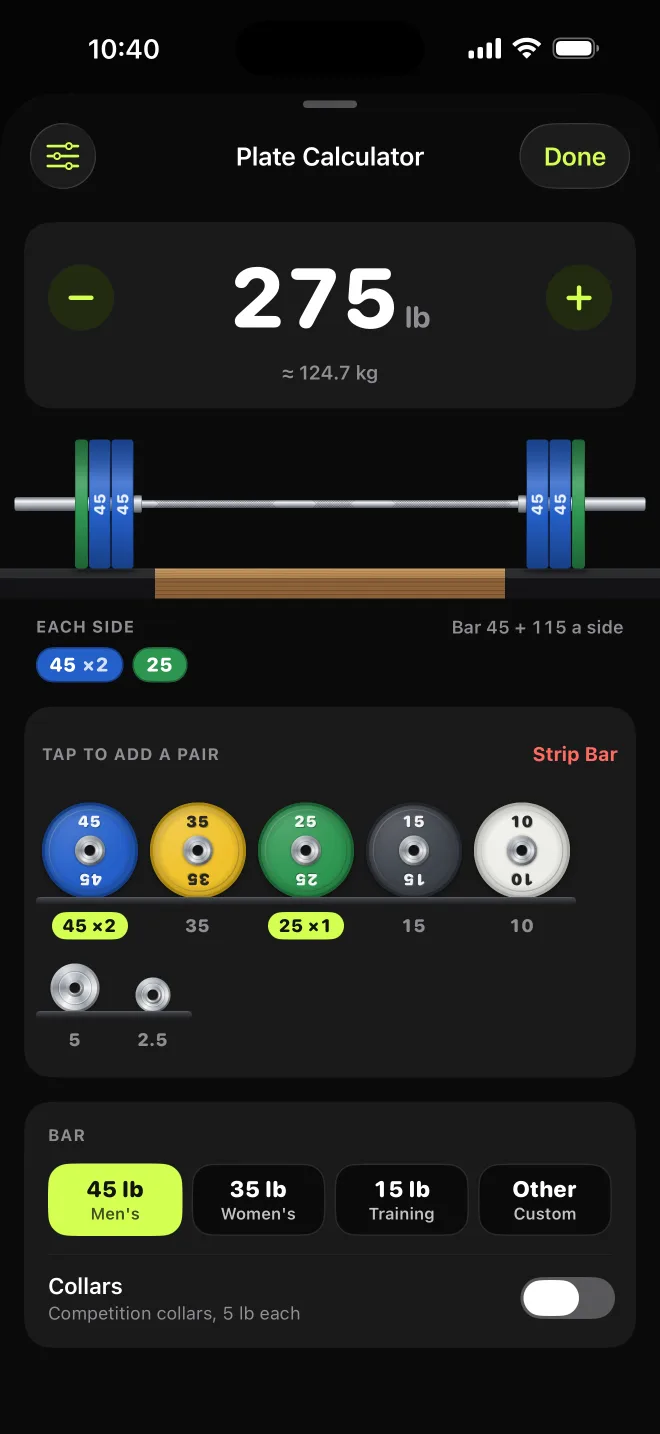
Type a weight and the bar loads itself, plate by plate, drawn to scale: the big bumpers go on first and the change plates last. Or tap plates onto the bar and it adds them up for you.

Set it up once for your gym, with the plates it has, pounds or kilos, and your bar. It’s on every exercise too, already set to your working weight.

  • Drawn to scale
  • Pounds or kilos
  • Your gym’s plates
  • Any bar
  • Collars
The plate calculator at 275 pounds: a barbell loaded with two blue 45-pound bumpers and a green 25 on each side, above a rack of plates to tap.

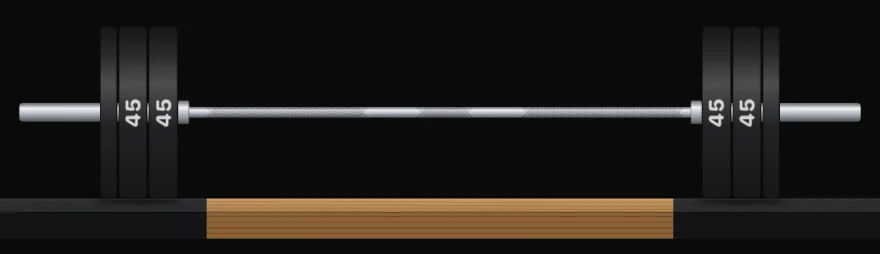
Pick a look

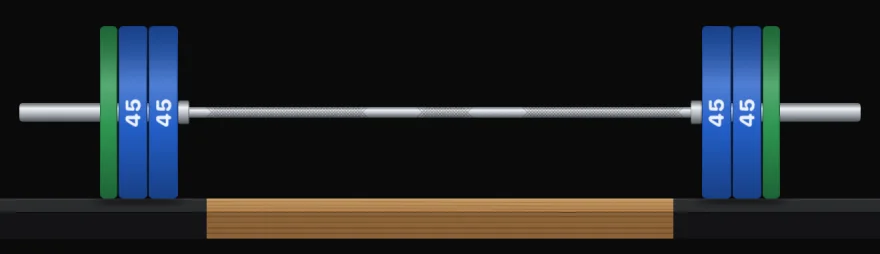
275 pounds in colored bumpers.
275 lb: two 45s and a 25 on each side.

Gym timer

The gym clock, on your phone.

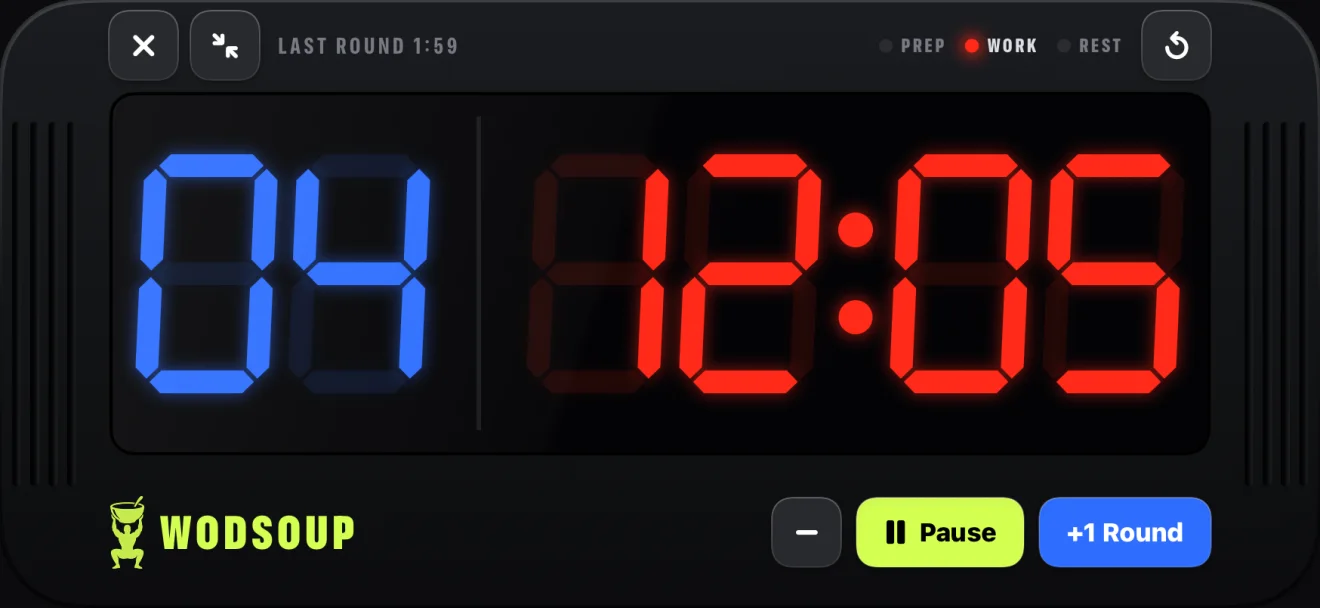
For Time, AMRAP, EMOM, intervals or a plain countdown. Turn your phone sideways and it’s the clock on the wall, with a beep on 3, 2, 1 and go, even with the ringer off.

Open any benchmark WOD and tap Start Timer to get the clock already set. Tap +1 Round as you go and it keeps your splits.

  • For Time
  • AMRAP
  • EMOM
  • Intervals
  • Countdown
The gym timer sideways, filling the phone: 4 rounds in blue, 12:05 in red, and Pause and +1 Round keys along the bottom.
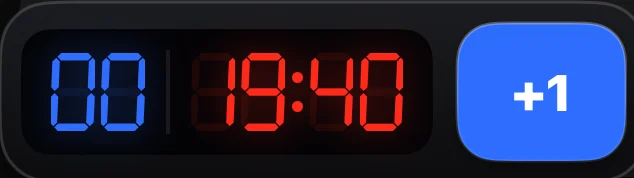
The timer minimised to a small floating clock with a +1 button.
Minimize it and it keeps counting in a corner while you log your sets.
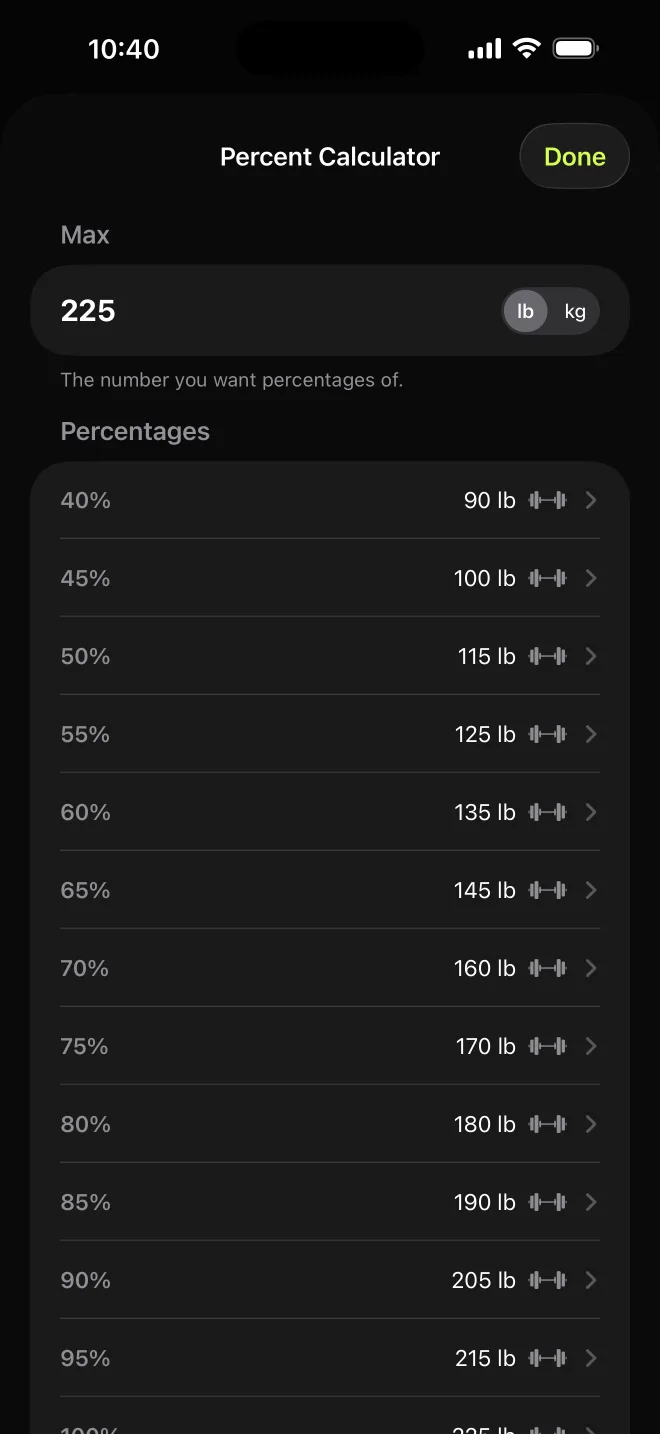
The percent calculator for a 225-pound max: 40 percent is 90 pounds, 60 percent is 135, 80 percent is 180, and so on.

Percent calculator

Your percentages, done.

Type your max and get 40% to 100% in steps of 5, each rounded to a weight you can load.

Tap any row and the plate calculator opens with that weight on the bar.

How a session goes

Plan tonight.
Lift tomorrow.

  1. Program

    Build the session

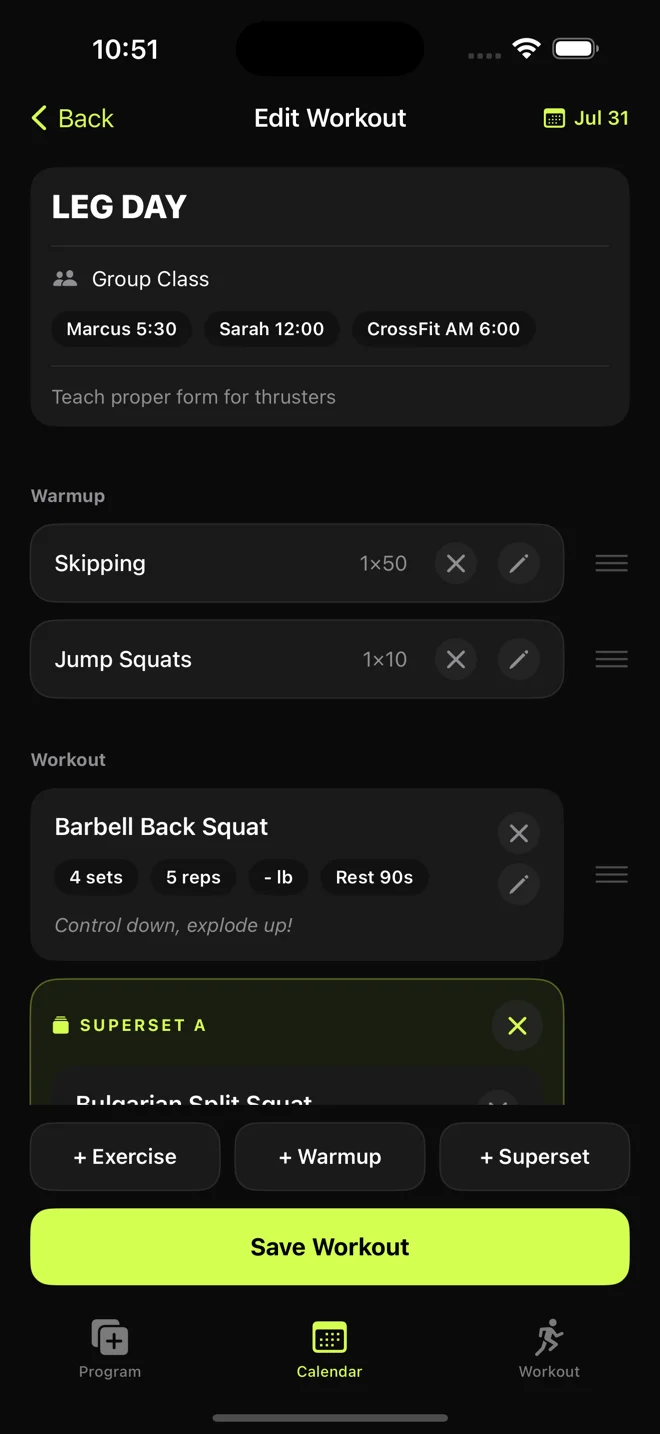
    Give each exercise its sets, reps, weight and rest, then add a warmup, supersets and a note for the day. A ladder works too: 5 at 50% up to a single at 105%, each set with its own reps and percentage.

    Editing a workout called Leg Day, tagged for a group class, with a warmup, barbell back squat for 4 sets of 5, and a superset.
  2. Train

    Run it at the gym

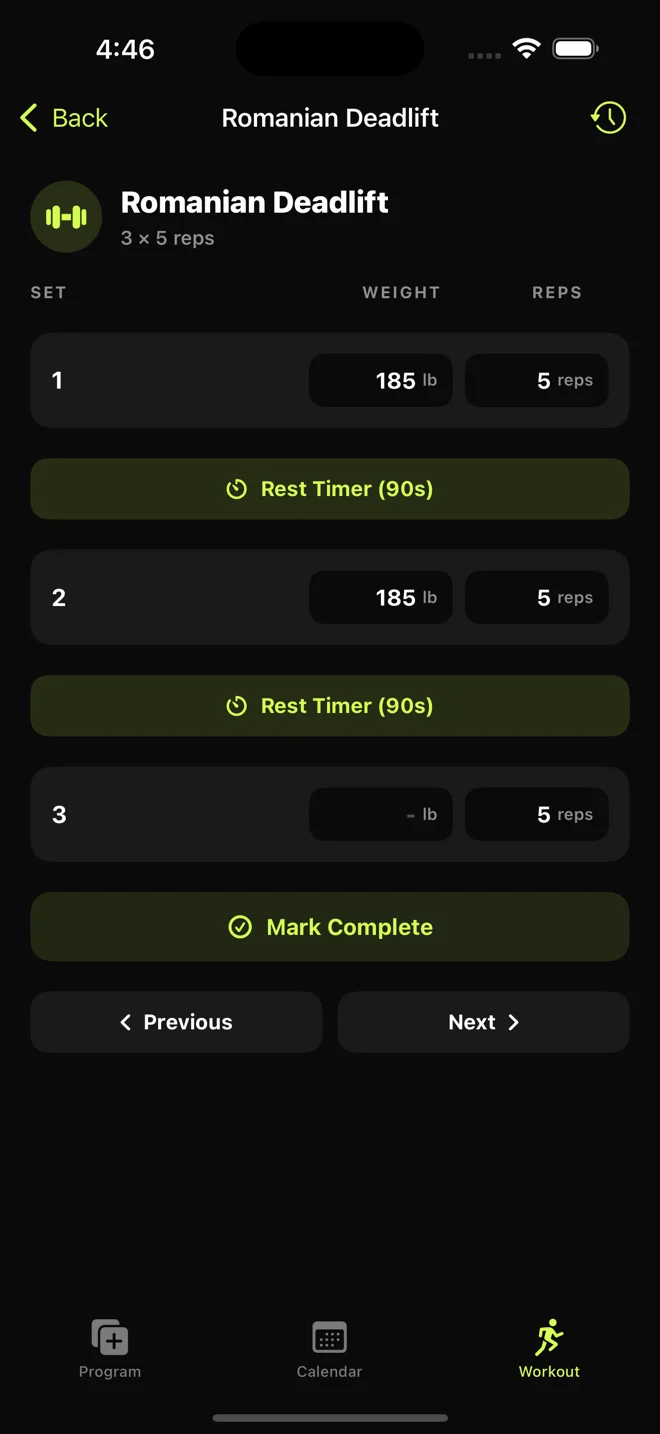
    The plan is already filled in, so you only fix what came out different. Rest timers count down on their own.

    Logging a Romanian deadlift: two sets at 185 pounds for 5 reps, with a 90-second rest timer between them.
  3. Track

    See if you’re getting stronger

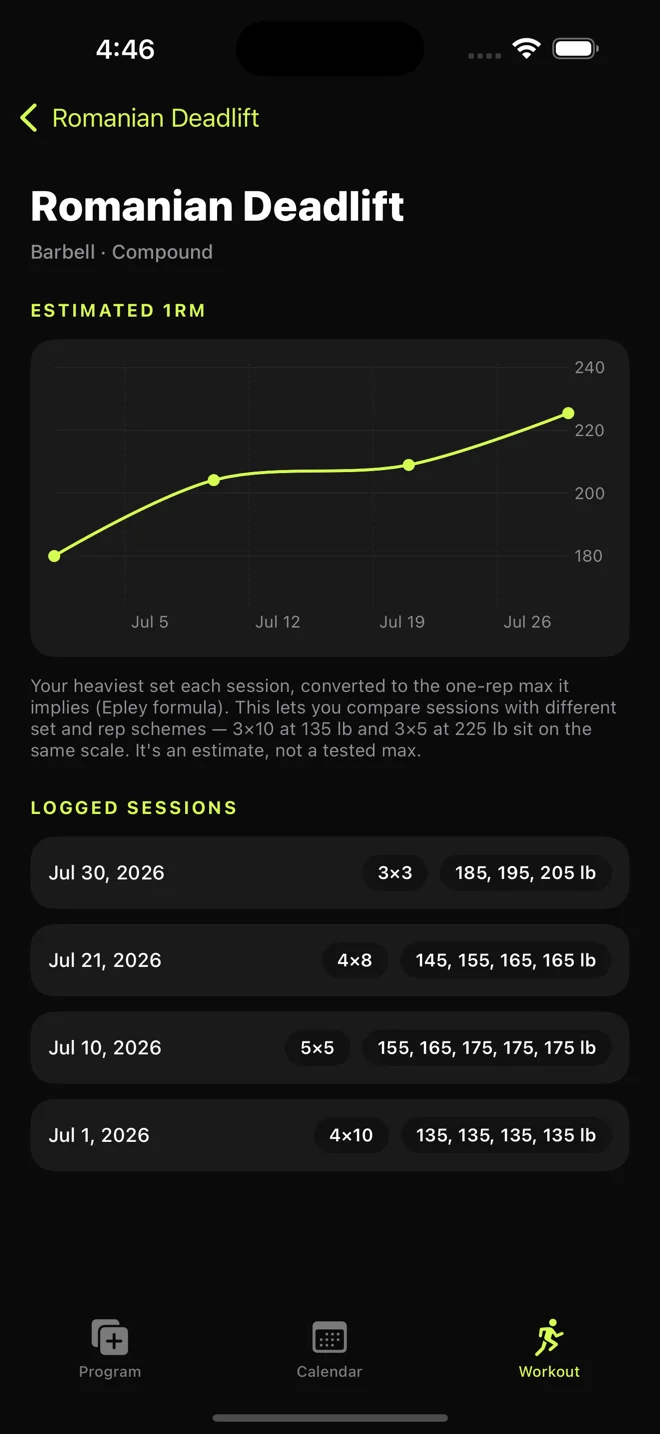
    Every lift becomes an estimated one-rep max, so a 3×10 day and a 3×5 day sit on the same line. Beat your best for 1, 3 or 5 reps and the workout summary tells you, then saves it to your PRs with one tap.

    Romanian deadlift history: an estimated one-rep max chart climbing from about 180 to 225 pounds over July.

PRs

Every PR,
charted.

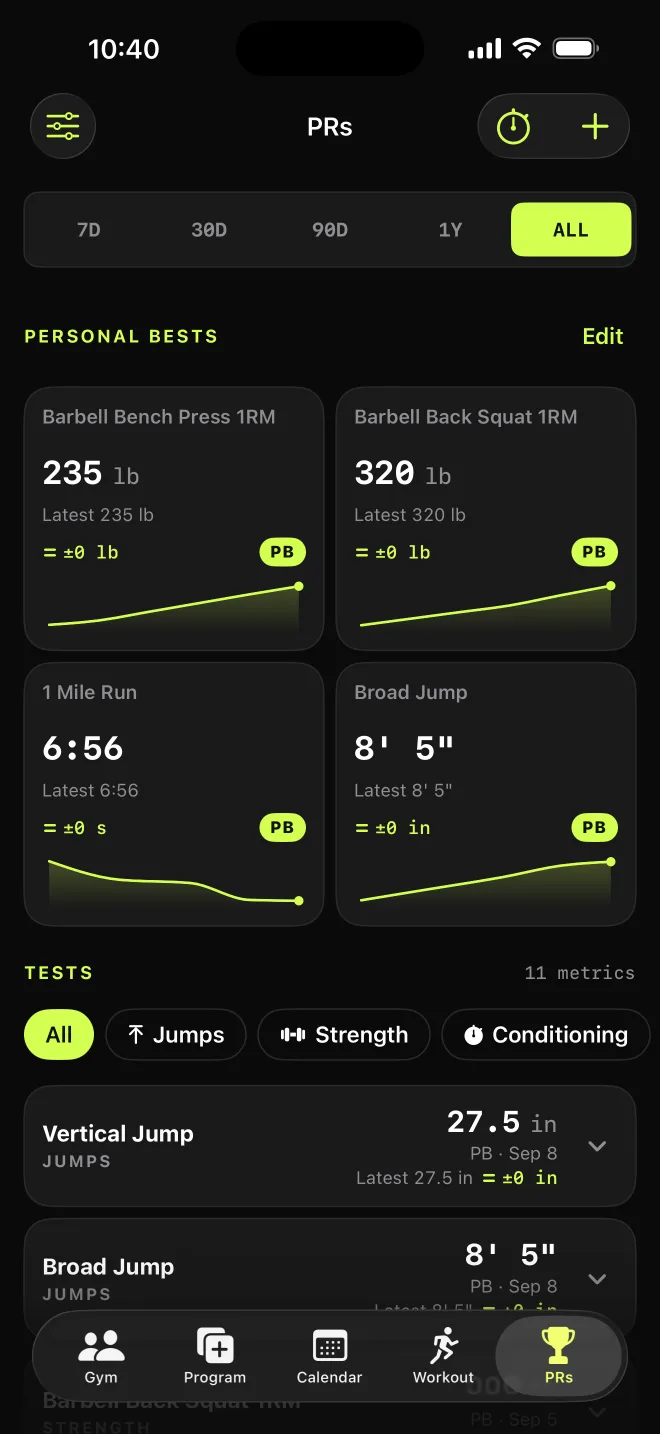
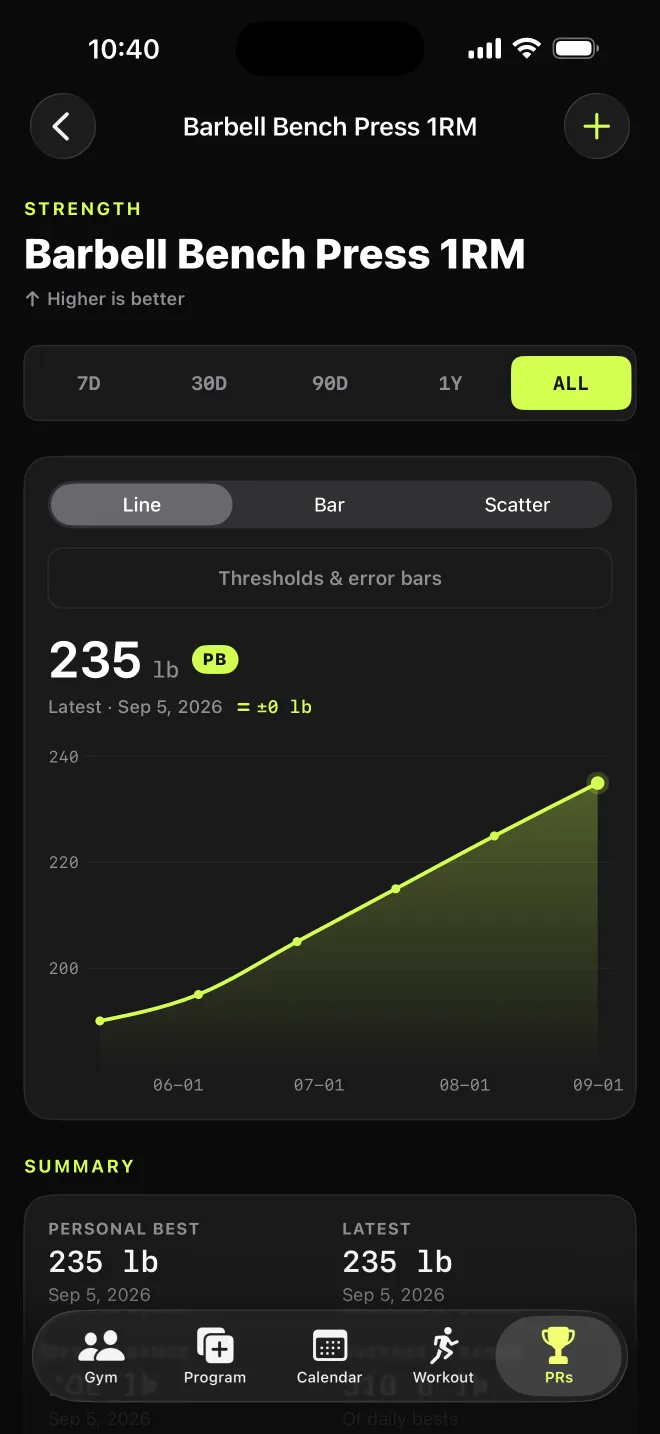
The PRs tab holds your test results: maxes, sprints, jumps, runs, max reps, and benchmark WODs like Fran and Murph. Each test gets its own chart and a summary suited to it. Run a test day as a training session and it ends with a report of your new PRs and which way each test is heading.

  • 99 tests built in
  • Your own tests
  • 287 benchmark WODs
  • Training sessions
  • On the web too

You need a free account, but not a gym. If you’re in one, your coach sees your results and can log them for you on test day.

The PRs tab: personal bests for bench press, back squat, a mile run and broad jump, each with a small chart, above a list of every test.
Bench press one-rep max over the summer: a line climbing from about 190 to a 235-pound personal best.
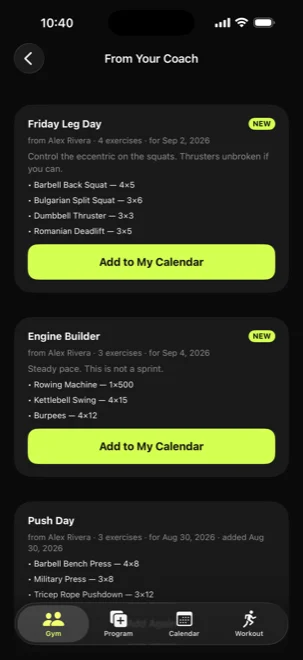
A member's inbox of workouts from their coach, each with an Add to My Calendar button.
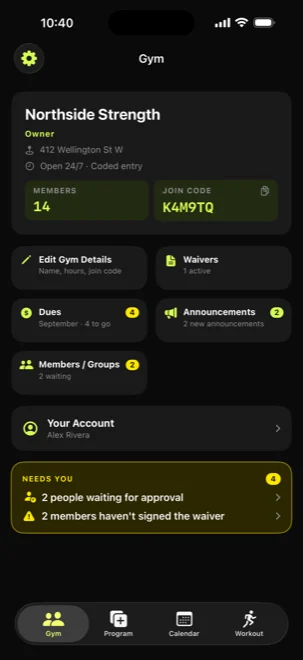
A gym owner's hub: 14 members, a join code, waivers, dues and announcements, and two people waiting for approval.

Gyms

Your gym, in the same app.

Members join with your gym’s code. Approve who’s in, keep track of waivers and dues, and send one workout to a whole class. Every member gets their own copy.

  • Join codes
  • Waivers
  • Dues
  • Announcements
  • Class workouts
  • Athlete PRs

How it works for gym owners and trainers

No iPhone?
It still works.

On Android or a laptop, sign in on the web to track your PRs and run training sessions. If your gym uses WODsoup, join it, sign the waiver and do the workouts your coach sends.

Set it up on Android
What works where
iPhone & iPadAndroid & web
With your gym
Join your gymYesYes
Your coach’s workoutsYesYes
Log your setsYesYes
CalendarYesYes
Gym newsYesYes
Sign the waiverYesYes
How-to videosYesYes
Your training
PRs and chartsYesYes
Test-day sessionsYesYes
287 benchmark WODsYesYes
Build your own workoutsYesNo
NotificationsYesNo
Lifting tools
Plate calculatorYesNo
Gym timerYesNo
Percent calculatorYesNo

Free on both, with no ads. The lifting tools come free with your gym, or as a purchase on their own.

Private by design

Your training stays in your iCloud.

Workouts sync through your own iCloud account, the way Notes does. Tracking PRs or joining a gym takes a separate account you choose to make, and the privacy policy lists what it holds.

Read the privacy policy
Ads
0
Analytics SDKs
0
Trackers
0
Data sold
0

Get WODsoup

Free to download on iPhone and iPad.