
For coaches
Coach your clients.
Run your gym.
Personal trainers program every client’s week in WODsoup. Gym owners also run their members from it: approvals, waivers, dues and announcements. It’s all the same app, on iPhone and iPad.
Personal trainers
Every client’s week, straight.
You don’t need a gym to coach with WODsoup. What you program lives in your own iCloud, on your phone.
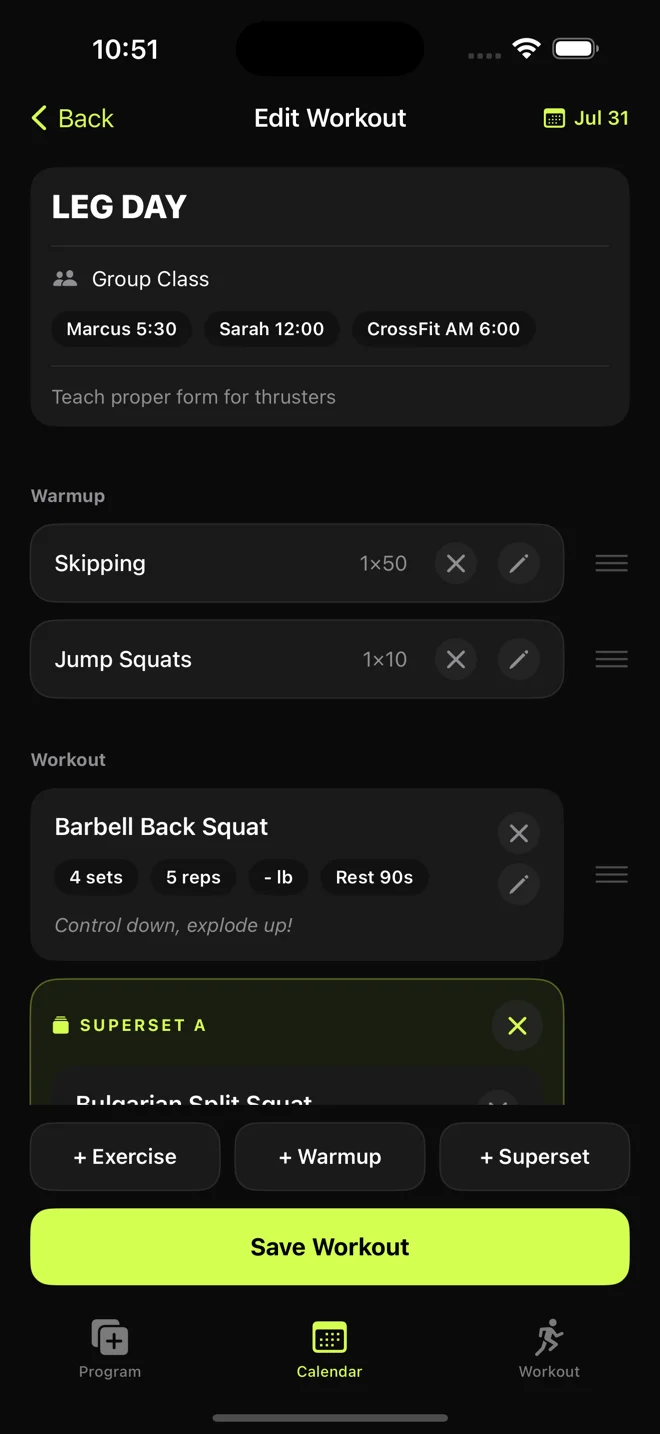
- Tag who it’s for
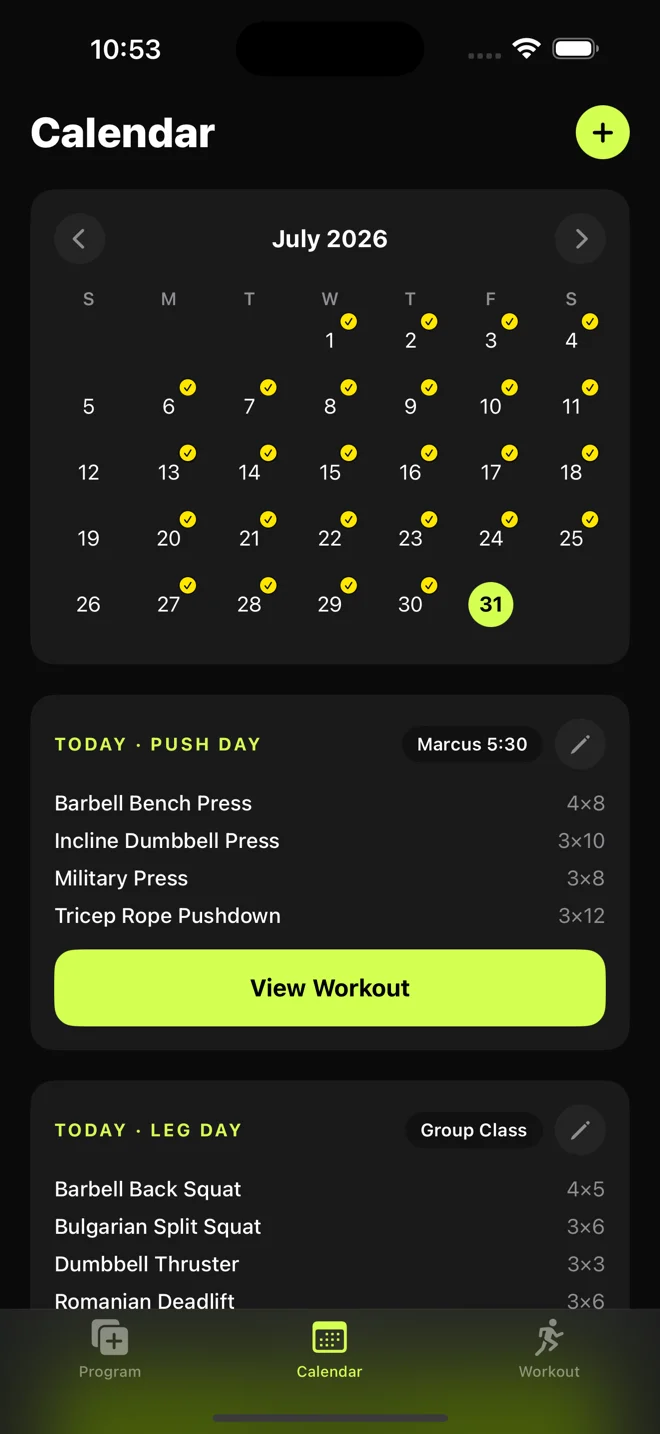
- Label a session “Marcus 5:30” or “Group Class”. Once you’ve used two or more tags, filter the calendar to one client at a time.
- Build once, reuse it
- Duplicate a workout to another day, or repeat it on chosen weekdays until an end date. Every copy can be changed on its own.
- Program it properly
- Warmups, lettered supersets, a note for the day and a cue on each exercise. Load by weight, percentage of max or bodyweight, for reps or for time.
- 243 exercises built in
- Plus any you add yourself.
- Run it at the gym
- Open the workout and fill in the weights you used. The rest timer stays up while you move around the app.
- See the progress
- Every exercise charts an estimated one-rep max, and a finished workout calls out a new best.
Gym owners
Manage members
from your phone.
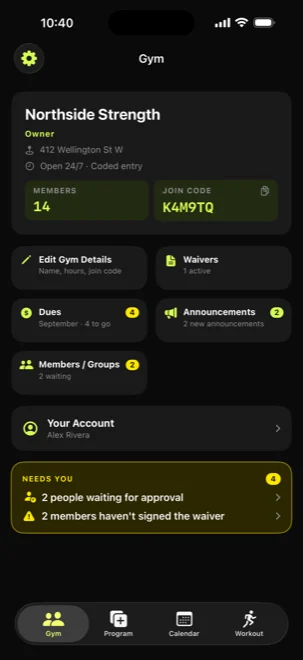
Hosting a gym brings your members into the app. They join with your code, and approving them, checking their waiver and marking their dues each take a tap.
-
Members
You decide who’s in
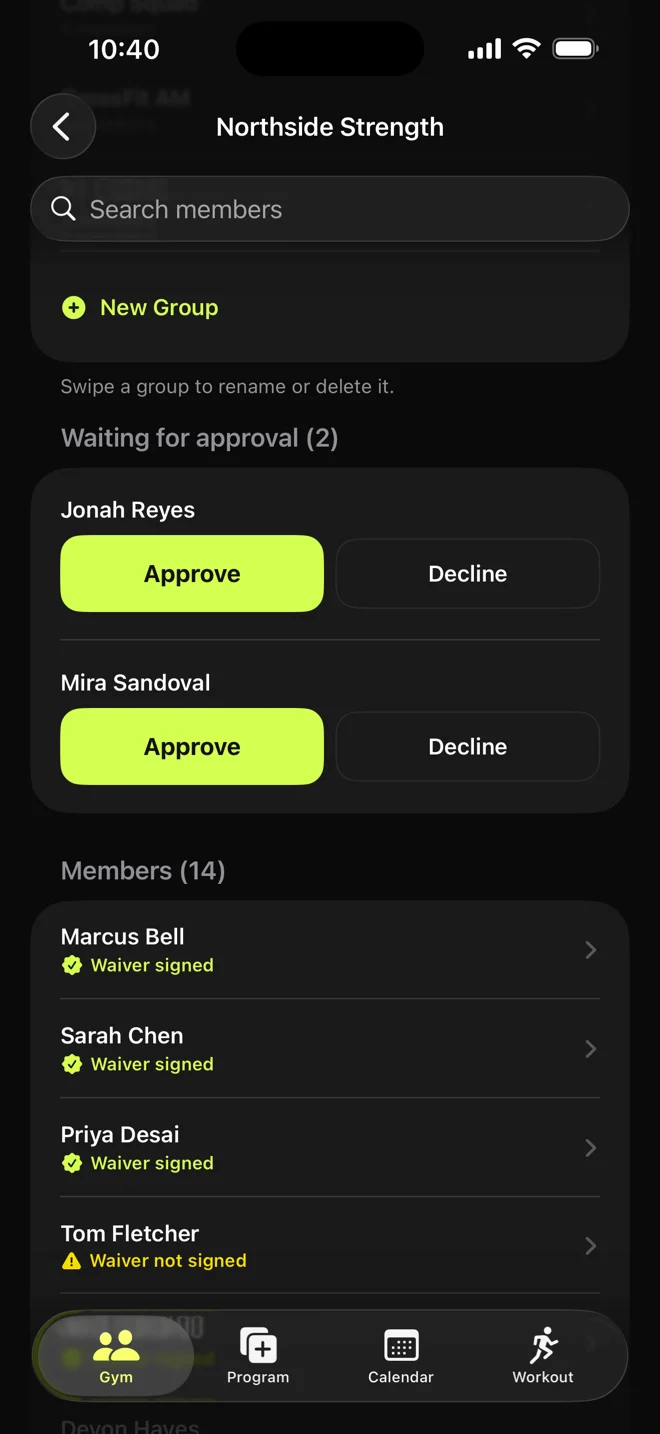
New people join with your code and wait for you to approve them. Once they’re in, they see your address and hours. You can remove anyone with a reason and restore them if they come back.
-
Workouts
Send one to a whole class
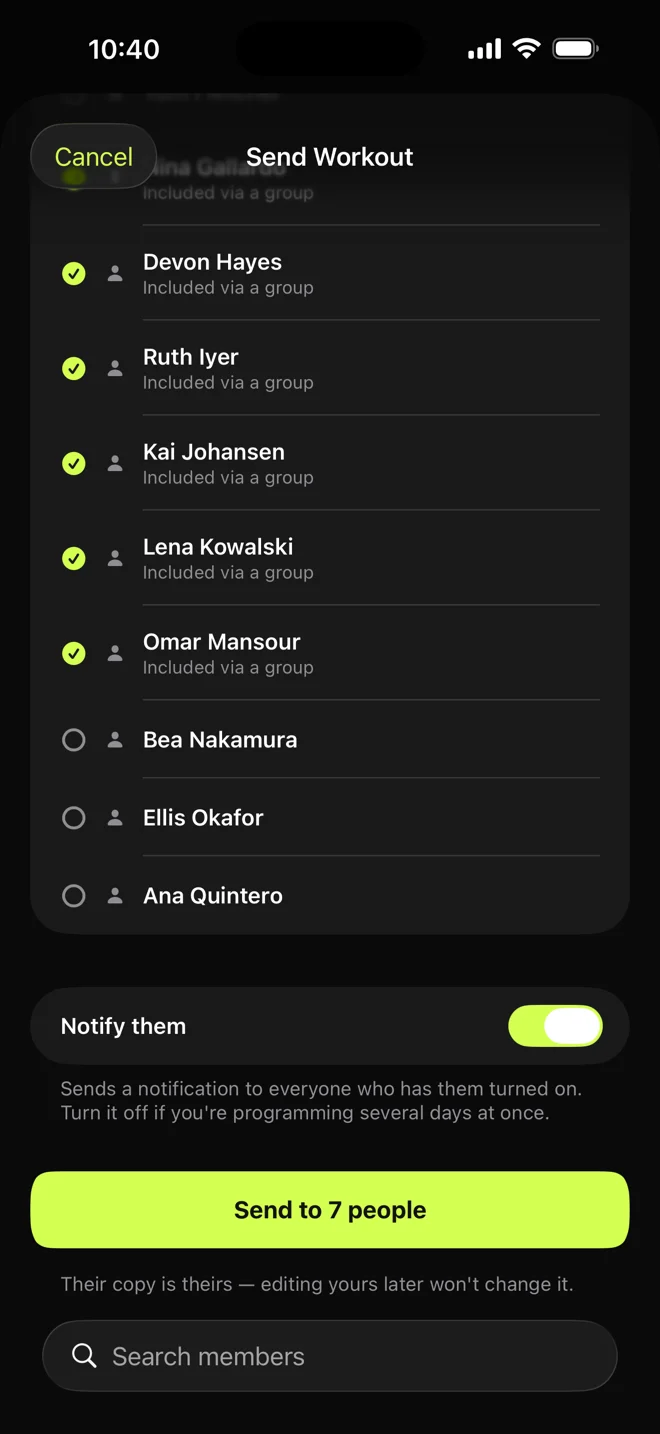
Build a session and send it to groups, individual members, or both. Each member gets their own copy to add to their calendar and log.
-
Today
See what needs you
One card lists who’s waiting for approval, which announcements need a look, and who hasn’t signed the waiver.
- Waivers
- Upload your own PDF and place the signature box. Members sign with a finger, and a parent or guardian co-signs for anyone under 18 if you ask for it. You keep every signed copy, even if they later delete their account. Coaches can’t open them.
- Dues
- Mark each month paid, not paid, not sure or a free month, with one-tap amounts. No money moves through the app. It’s your record of what you collected.
- Announcements
- Post updates for every member, with a notification to their iPhone if you choose. Coaches can write one for you to approve or decline.
- Groups
- Sort members by class or program, then send a workout to the whole group at once.
- Test days
- See each athlete’s PRs and trends, log their results as they go, and rank everyone on one test with the team board.
- From a laptop
- Approve members, sort groups, mark dues, handle announcements, open signed waivers and check athletes’ PRs at wodsoup.netlify.app/app.
Your staff
Add coaches. Keep the paperwork.
Make any member a coach. They program for your members; the waivers and the money stay with you.
Owner
- Approves and removes members
- Publishes waivers and opens signed copies
- Tracks dues
- Posts announcements
- Makes a member a coach
- Sees everyone’s PRs, coaches’ too
Coach
- Builds and sends workouts
- Manages groups
- Suggests announcements
- Sees the member list
- Sees members’ PRs and logs results
- Can’t see waivers or dues
Your members
Members join free.
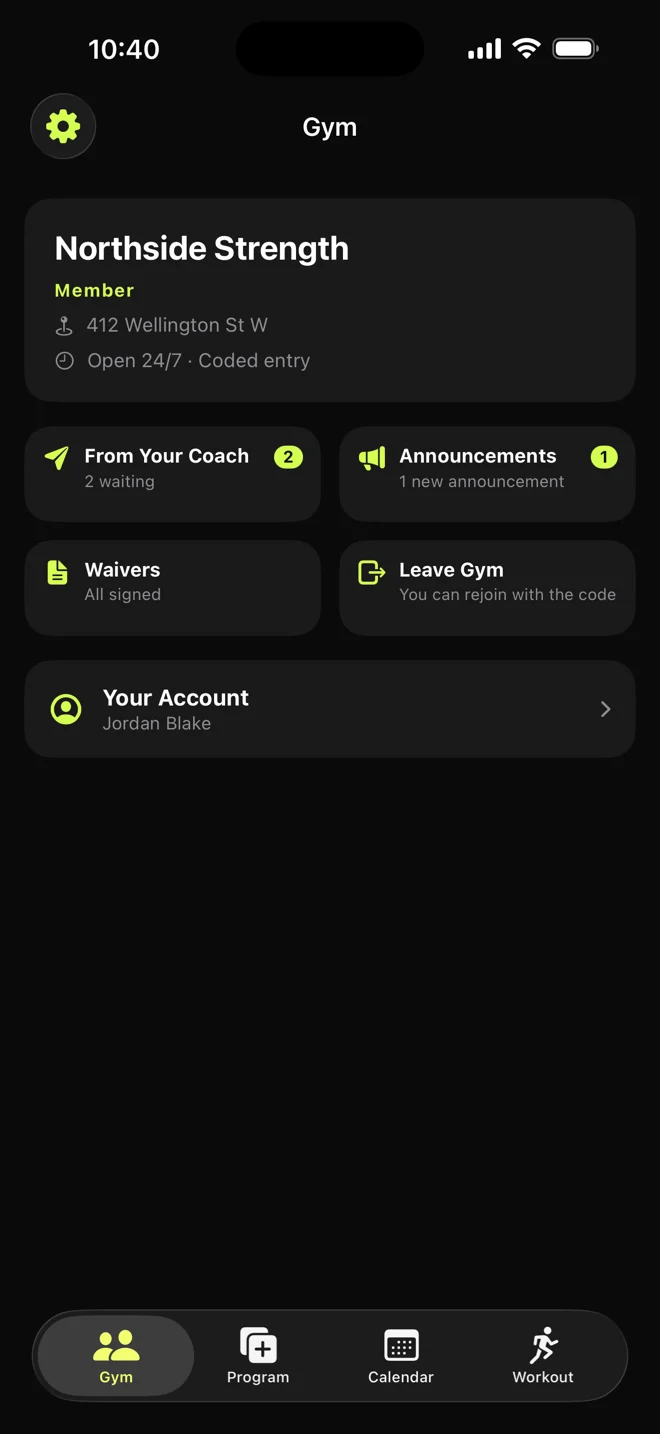
The people you coach don’t pay anything. They join with your code and get what you send on whatever phone they have.
On iPhone
Your workouts arrive in their inbox, ready to add to their calendar and log with timers and lift history. Announcements, the waiver and their PRs are in the app too, and so are the plate calculator, percent calculator and gym timer, which are free for anyone in your gym.
On Android or a laptop
The web app lets them join, sign the waiver, read announcements, track their PRs and do the workouts you send, with the weights they log saved on that device.
How members set it up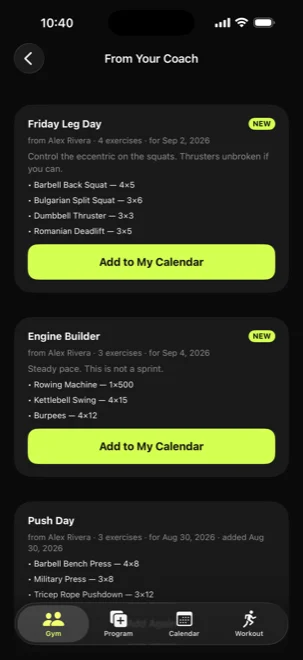
Only the owner pays.
Tap Create a Gym in the app and pick monthly, yearly or a one-time purchase, priced in your currency. Your members and coaches never pay, and hosting unlocks the lifting tools for you and every one of them. If a plan lapses, nothing is deleted. Sending workouts and posting announcements pause until you renew. Have an owner code from WODsoup? Enter it on the same screen instead.